Packing Lists
TripDeck looks at your itinerary, dates, and forecasted weather to suggest what to pack, and keeps a checklist alongside your trip.
Packing Lists
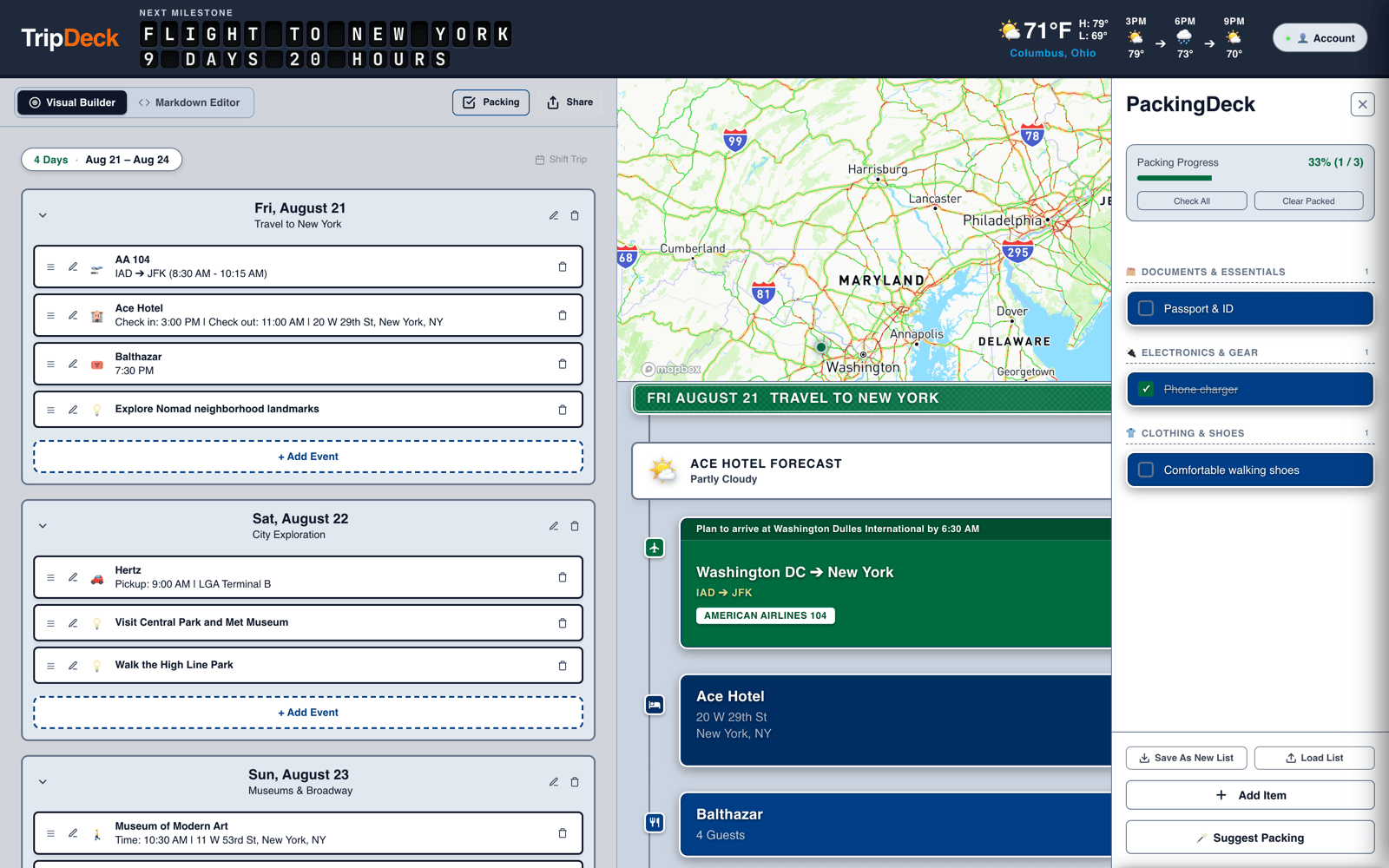
Click the Packing button to open the checklist overlay. Items are grouped into categories (Documents, Electronics, Clothing, Toiletries, Kids & Baby, and more), with a progress bar showing how much you've packed.
You can also write packing items directly in the text editor using checkbox syntax, and they'll show up in the checklist automatically.
Smart Suggestions
Open the suggestions drawer for items TripDeck thinks you might need based on your itinerary. Traveling somewhere rainy? Expect a rain jacket suggestion. Crossing into a country with a different plug type? Expect an adapter suggestion.
Your trip itinerary drives these suggestions automatically. For each destination, TripDeck considers:
- Forecasted weather: items for rain, cold, heat, or snow
- Travel distance and time: time zones, long-haul flights, and necessary carry-ons
- International travel: visas, currency, language cards, and power adapters
- Activity types: walking shoes, swimwear, ski gear, or formal attire
- Travel companions: baby gear or pet supplies when relevant
Reusable List Templates
Once you've built a packing list you like, save it as a template so you don't have to rebuild it for your next trip. Add a saved template from the same panel.
Use Check All or Clear Packed to quickly reset a list between trips.
Standalone Account Lists
In addition to checklists attached to a specific trip, TripDeck allows you to maintain account-level standalone lists (such as Master Packing Lists, Pre-Trip To-Dos, or Bucket Lists).
- Accessing Lists: Click the Lists button in the top navigation bar to open the Standalone Lists drawer.
- Sync & Encryption: Standalone lists sync across your signed-in devices using the same end-to-end encryption and offline caching as your itineraries.
- Importing to Trips: You can quickly copy items or templates from your account lists directly into any active trip's packing checklist.
Related Guides
- Building a Trip: Plan your itinerary and activities.
- Writing in the Text Editor: Write checklist checkboxes in plain text.
- Budget & Expense Tracking: Keep track of travel spending and expenses.